
Your everyday phone is convenient. It is also the device most likely to still be signed into compromised sessions, to hold malware from a phishing link, or to receive attacker-controlled prompts. The clean-device rule is simple: when an account has been taken over or seriously locked, perform recovery actions from a device that is not the one you normally use for that account.
This rule has prevented more recovery mistakes in our household than any single password tip. The first time I ignored it, I approved a login prompt that I thought was mine. It was not. The second time, I used a clean device from the start and the recovery stayed under my control. The difference was not technical sophistication; it was order.
What “Clean” Actually Means
A clean device is one that:
Is not currently signed into the compromised account
Has not recently clicked links from suspicious messages related to the incident
Can reach the official recovery pages over a network you trust
Allows you to receive verification codes on a method the attacker does not control
It does not have to be a brand-new phone. A spare tablet, a partner’s phone used temporarily, a work computer that never had the personal account, or a browser profile created just for recovery can all qualify.
If you are helping a parent or an older relative, bring your own clean phone rather than using theirs. Their device may already contain the problem you are trying to solve. Explaining the clean-device idea in plain language—“we are going to use my phone just for this step so nothing else gets mixed in”—usually works better than technical detail.

When the Rule Matters Most
Apply the clean-device rule when:
You received a login alert you did not initiate
Recovery options (phone, email, or authenticator) were changed without your action
The account controls banking, email, or the ability to reset other passwords
You are helping a parent or teenager and their primary device may already be compromised
Skipping the rule is most tempting when you are in a hurry and the familiar phone is right there. That is also when the rule saves the most damage.
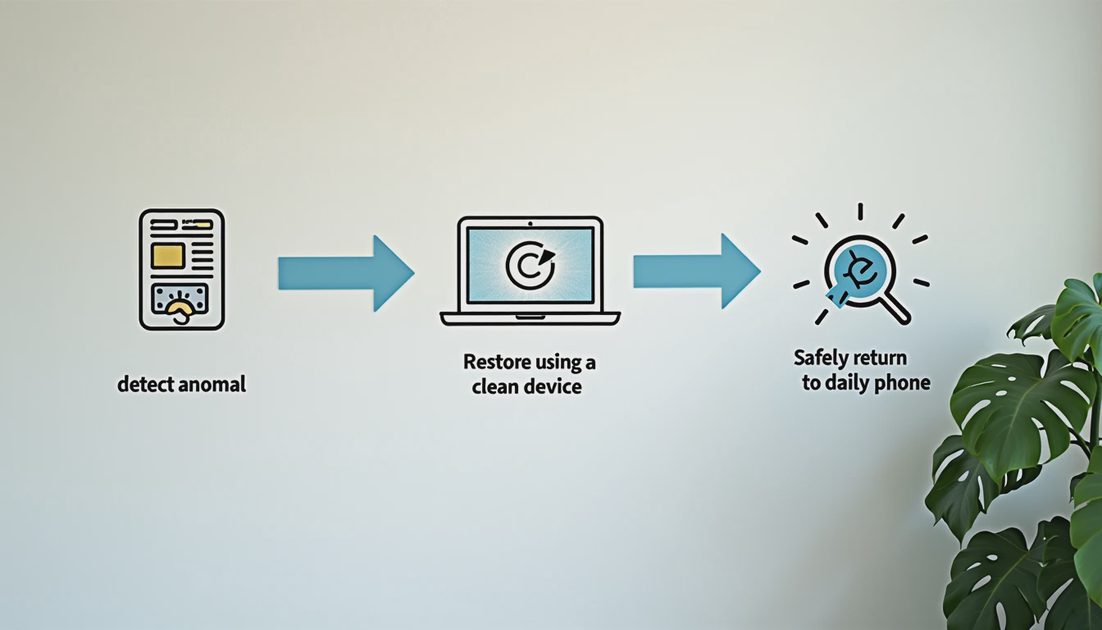
How to Run Recovery From a Clean Device
On the clean device, open a browser or the official app store version of the platform.
Navigate only to official domains—type them yourself or use bookmarks you created earlier, not links from emails or texts.
Sign in or start recovery using credentials and codes that the attacker should not possess.
Complete password changes, session sign-outs, and two-factor updates before returning to your usual device.
Only after the account is secured should you sign the usual device back in, and only after reviewing active sessions.
Situation | Recommended clean option | Risk if you stay on usual phone |
|---|---|---|
Possible phishing on phone | Partner’s phone or spare tablet | Attacker still receives prompts |
Recovery email also compromised | Device that can access a different inbox | Codes go to the attacker |
Helping a parent | Your own clean phone | Parent’s device may still be controlled |
Public or shared computer | Avoid entirely | Unknown software or sessions |
After Recovery: Returning to Your Usual Phone
Once the account is locked down from the clean device:
Change the password if you have not already.
Review every active session and sign out anything unfamiliar.
Update two-factor methods so that SMS is not the only option if SIM risk exists.
Run a malware check on the usual phone if the incident involved a suspicious link or attachment.
Sign the usual phone back into the account only after the above steps are complete.
If the usual phone itself was lost or stolen, the clean-device rule becomes permanent for that incident: treat the missing device as untrusted and follow the lost-phone sequence in the Devices category.
Also consider whether the usual phone needs a longer quarantine. If the incident involved a downloaded attachment or a page that asked for unusual permissions, a factory reset or professional scan may be appropriate before the phone is trusted again for banking or email. The clean-device rule is about the recovery moment; device hygiene continues after access is restored.
Common Pushbacks and Practical Answers
“I only have one phone.”
Borrow one temporarily, use a library or trusted friend’s device for the recovery steps, or create a fresh browser profile on a computer that was not signed into the account.
“It feels slower.”
It is slower by a few minutes. Recovering from a deeper compromise later is slower by days or weeks.
“The attacker already has everything.”
Then the clean device still prevents you from accidentally approving new access or revealing additional codes.
“I need to get back into email right now for work.”
Use the clean device to regain access, then immediately change recovery options and passwords before touching work systems. A short delay is better than giving an attacker a longer window.
Stop the damage. Save the proof. Take the next step.
The clean-device rule pairs with the evidence habits and recovery sequences in the rest of this series. Use it every time the stakes include email, money, or identity. Once it becomes habit, the extra step feels as ordinary as locking the front door before you leave the house.
No comments yet.